Posted by Gremlin [12.253.238.245 - 12-253-238-245.client.attbi.com] on 11 September 2002 at 00.42.26 ZuluTime:
Since Wolfe was asking about this anyway....
This is easy. Grab a couple of images in Photoshop7 [I just used a couple of available desktop backgrounds from Windoze Aluminium]. Cutpaste one into a new file; cutpaste the other on top of it.
To make it easier, you can add a layer in between to make sure you've really removed everything.
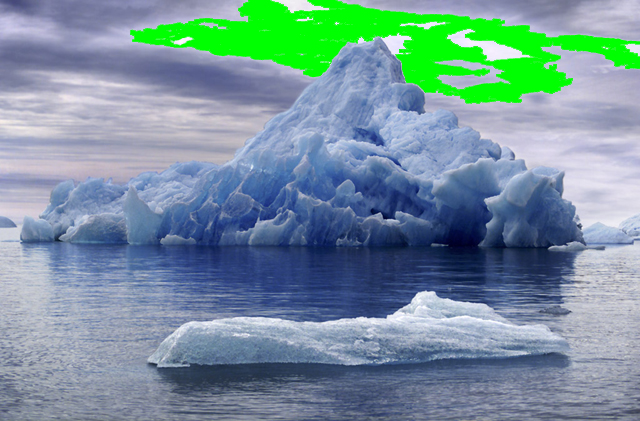
Set the magicwand tool [W] to antialias with a threshold of about sixteen--anything more will grab things you're not trying to get; anything less will grab a pixel at a time. Click on part of the sky you don't want and delete it:
Do that a few times until everything you're trying to get rid of is gone:
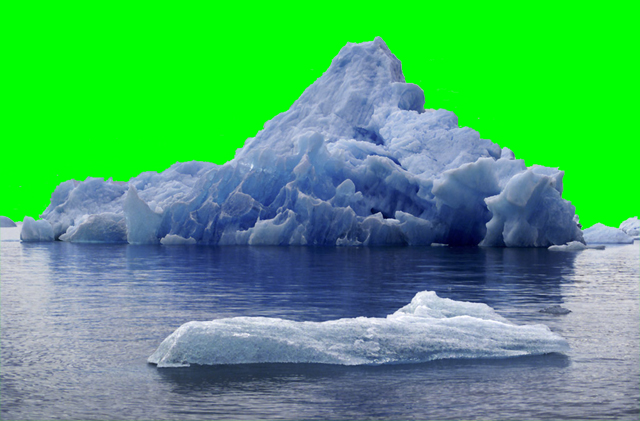
Then get rid of the greenscreen layer so the background image can be seen behind the foreground image.
It also helps to work with larger images than you ultimately intend to use. The images here were originally 1024*674. Once everything is done, resize the whole thing down to something more useful--contrain the aspect ratio and drop it to 640*421. The tiny bluscreen halo remaining at the edges will disappear when Photoshop7 resizes and reblurs all the edges.
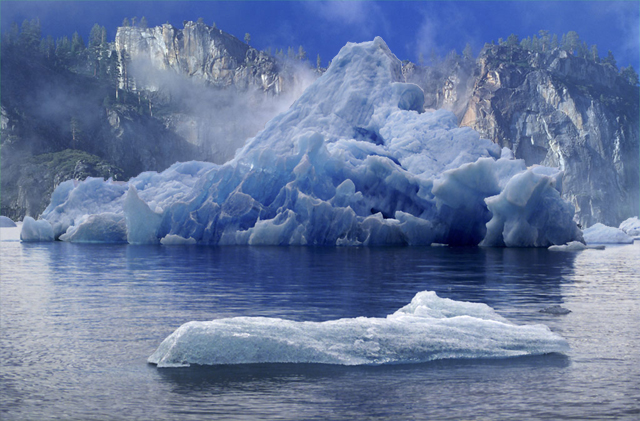
Then either smash the layers down to a flat image, or just save it as a jpeg. And you should end up with something like this:
--Gremlin